
Features
Digital gradebook and attendance
The EdSys gradebook records attendance and grades with a full edit history: one-click marking within the lesson window, a custom grading scale, final grades published to students. Absences go straight to the call queue.
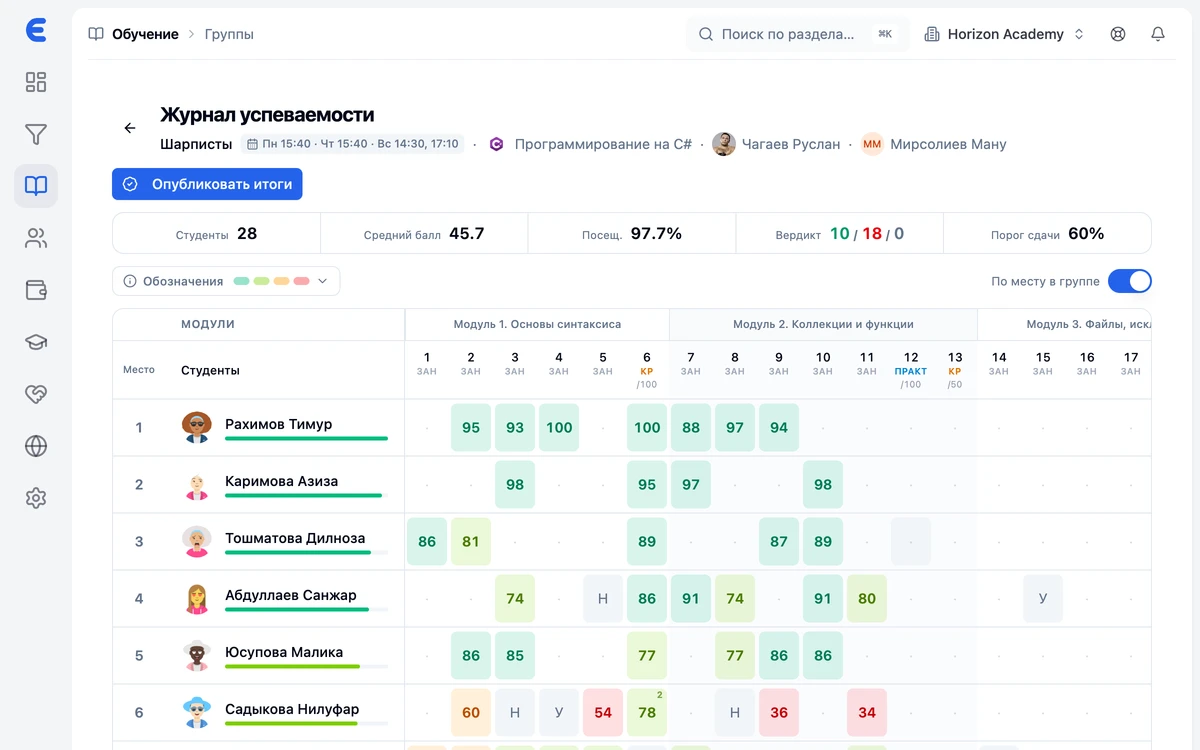
Absences under control
Students who missed a lesson land in the call queue; systematic absences move a student into the risk group.
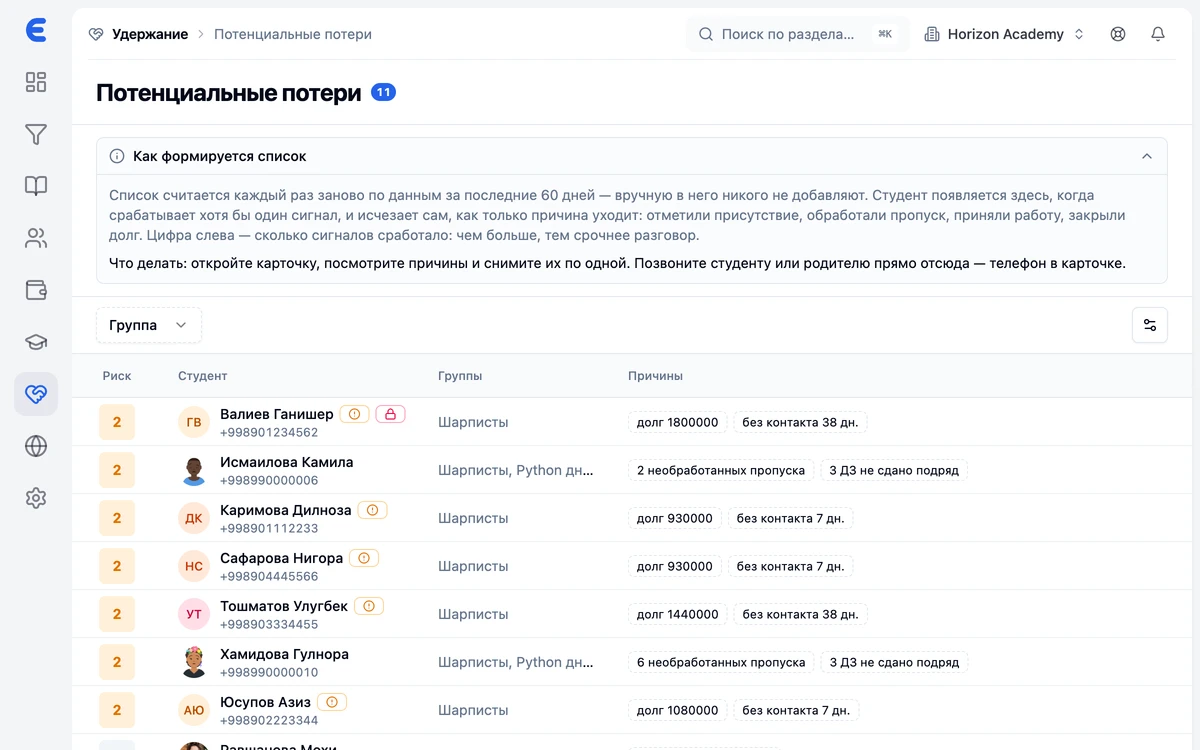
The student sees everything at once
Grades, attendance and progress — in the student app and the parent portal.
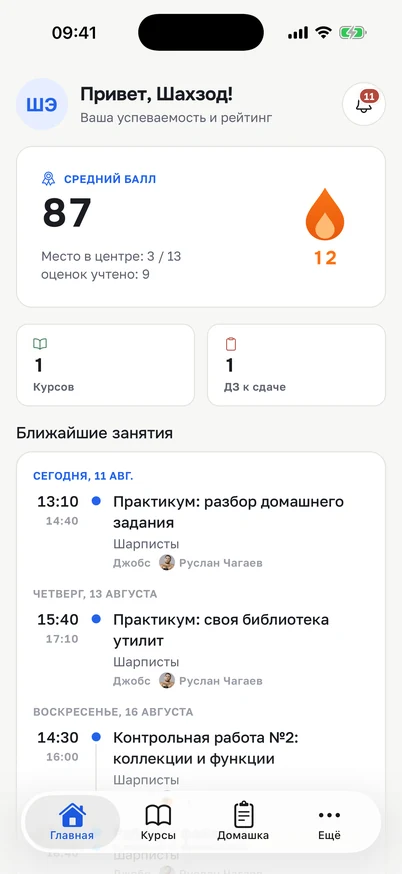
Performance reports
Cross-sections by group and student for the administrator and director — no manual spreadsheet work.
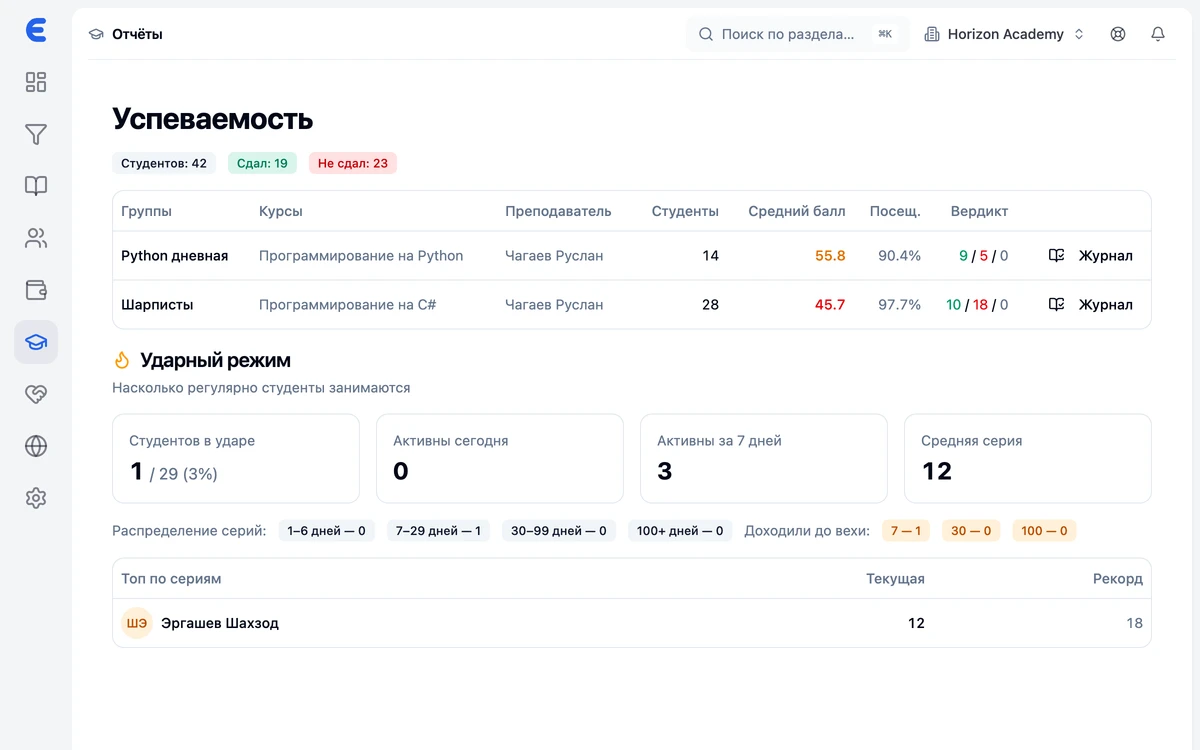
Marking in one click
The teacher marks attendance from a phone or computer — only within the lesson window. The edit history is preserved: quietly rewriting the book after the fact won't work.
Your own grading scale
Points, percentages or pass/fail — the center picks the scale. Final grades are published to students as a separate action.
Homework close by
Submitted work goes through the teacher's review queue, and the result lands next to the student's grades.
Frequently asked questions
Can a mark be fixed after the fact?
What grading scales are available?
Do parents see grades?
What happens when a lesson is missed?
Is the gradebook linked to teacher payroll?
Bring order to your center
Leads, schedule, gradebook and money under control from day one. Start for free.