CRM for
learning centers
For language schools — leads, groups, schedule, gradebook, materials and money in one place. EdSys follows a student from the first call to graduation and takes the routine off your hands.
Features
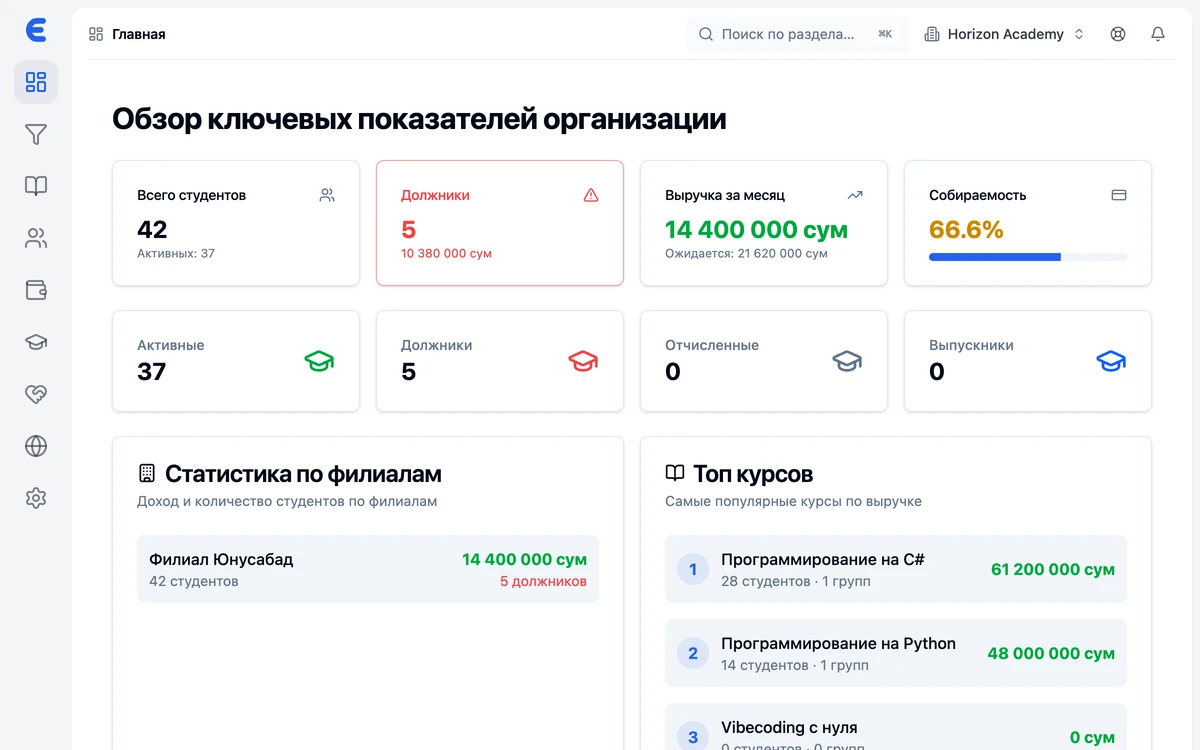
Everything your center runs on — in one window
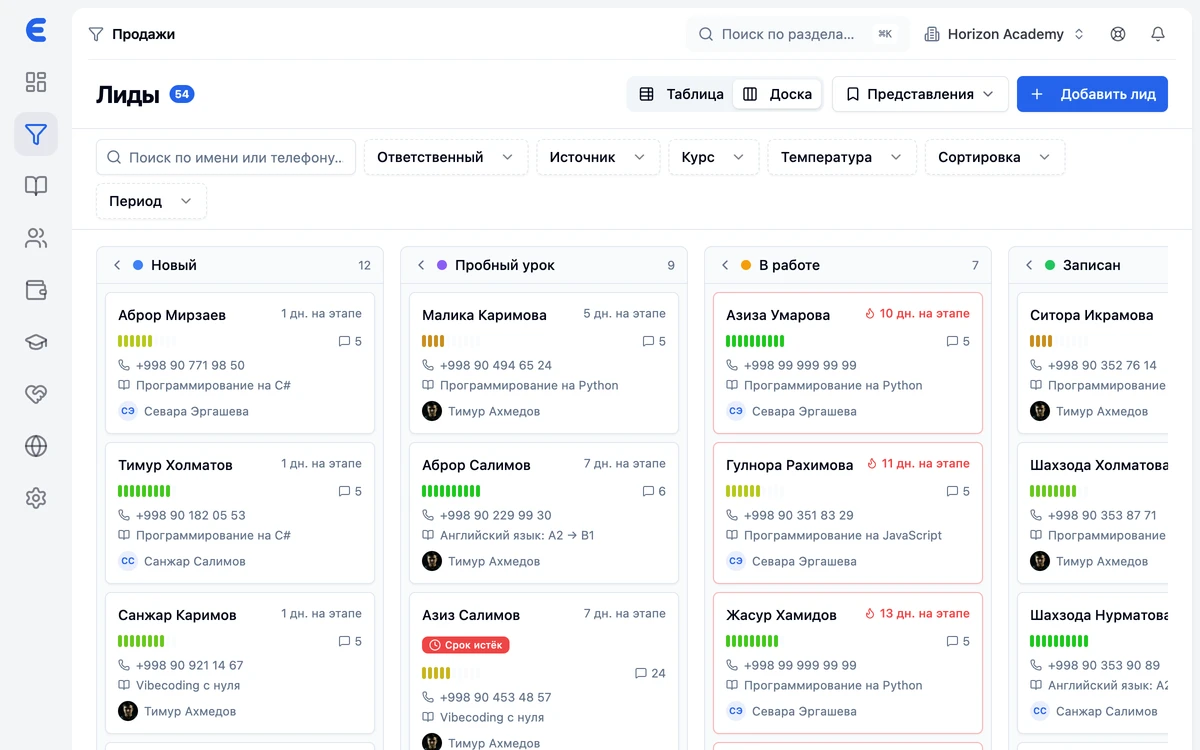
CRM and sales pipeline
Leads from every channel land on a kanban board with your own stages. Tasks and a daily plan for managers, events and open days with sign-ups. Conversion by stage and by each manager — right in the reports.
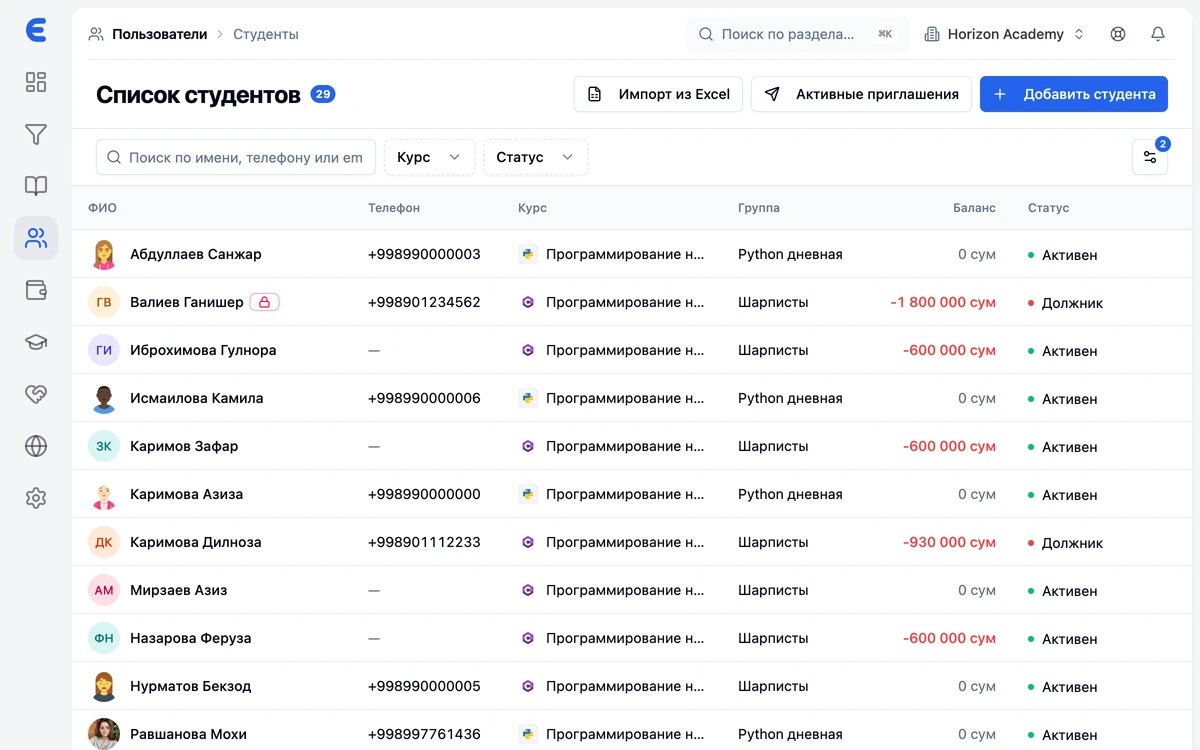
Students and staff
A student database with learning history, parent contacts, contracts and balance. Staff profiles with roles, branches and pay rates. Moving off spreadsheets is a bulk import, payments included.
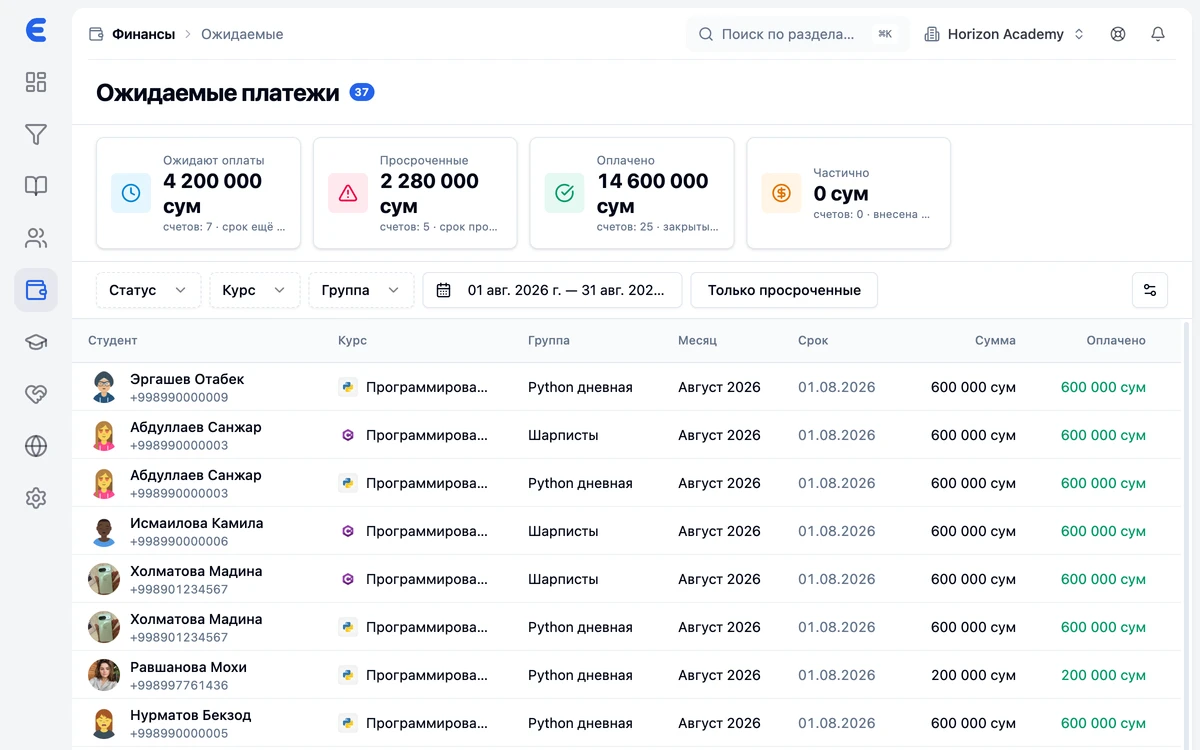
Finance without spreadsheets
Payments, expected charges and debts, expenses and cash accounts. Monthly, for the whole course, or a lesson package of N lessons — you choose the payment model. Teacher payroll and online payments through Payme and Click.
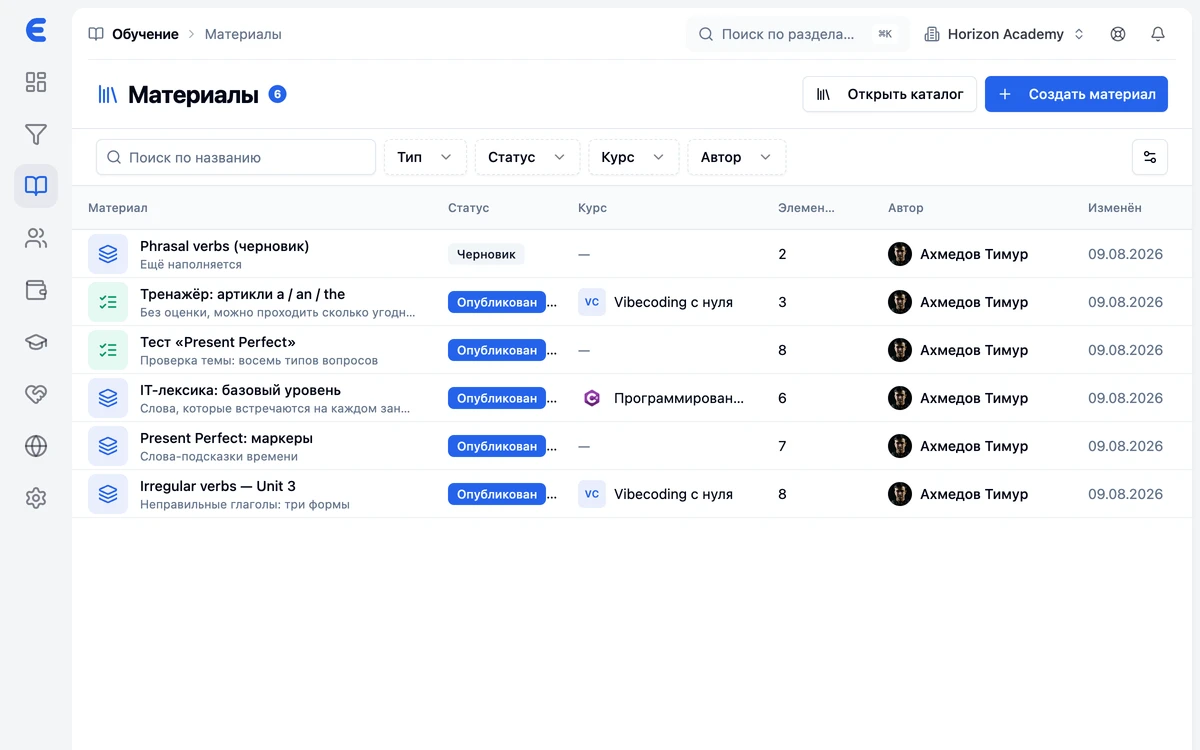
Materials and practice
Flashcards, quizzes and lesson files. Five study modes — from cards to a matching game — plus spaced repetition, automatic card audio and microphone recording. And a ready-made catalog of materials you can copy for yourself.
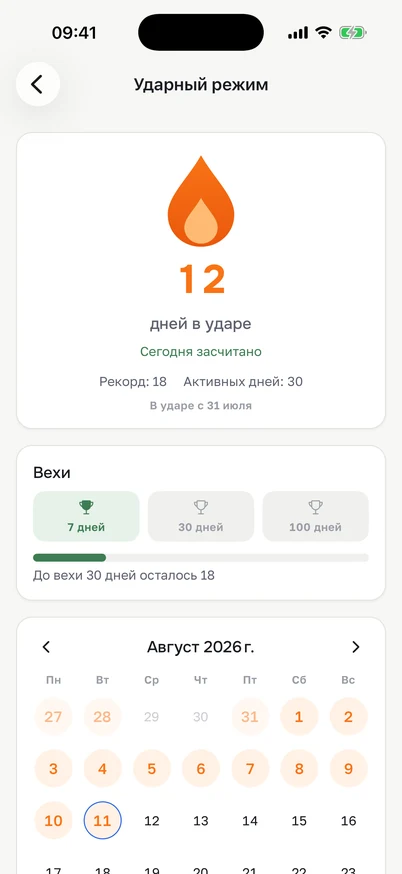
Streaks
Studying every day pays off: an activity calendar, milestones and leaderboards inside the group and across the whole center.
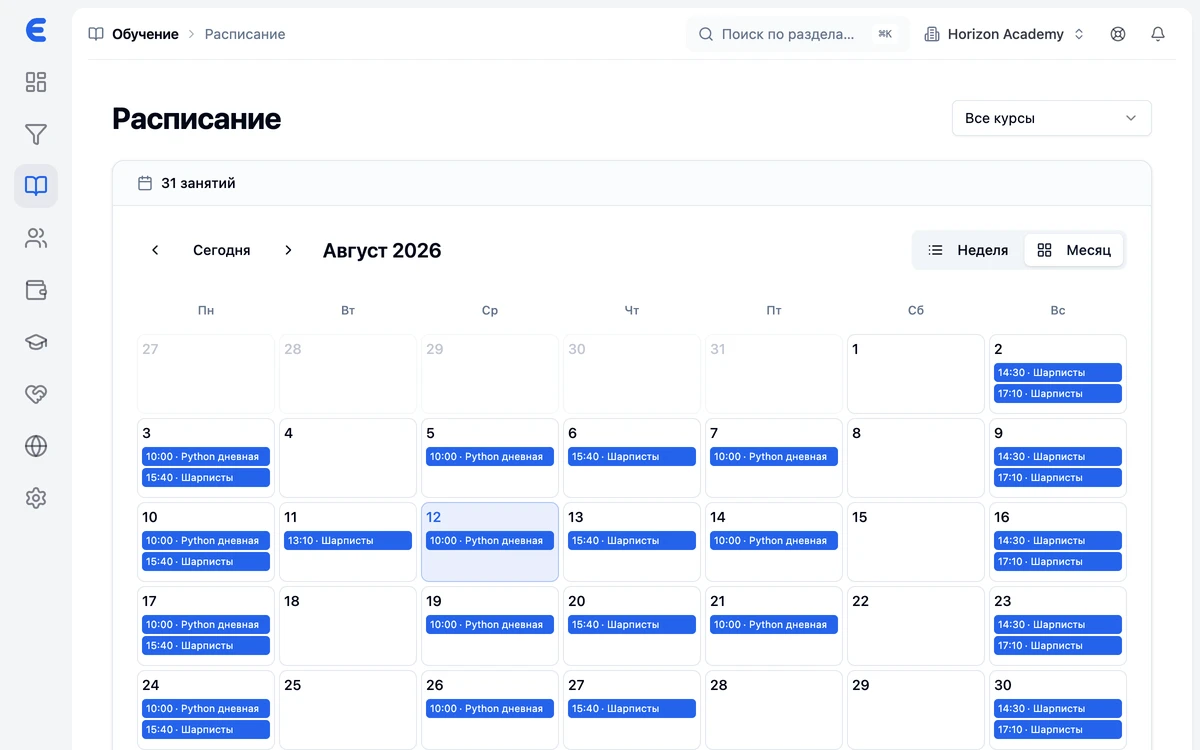
Schedule and branches
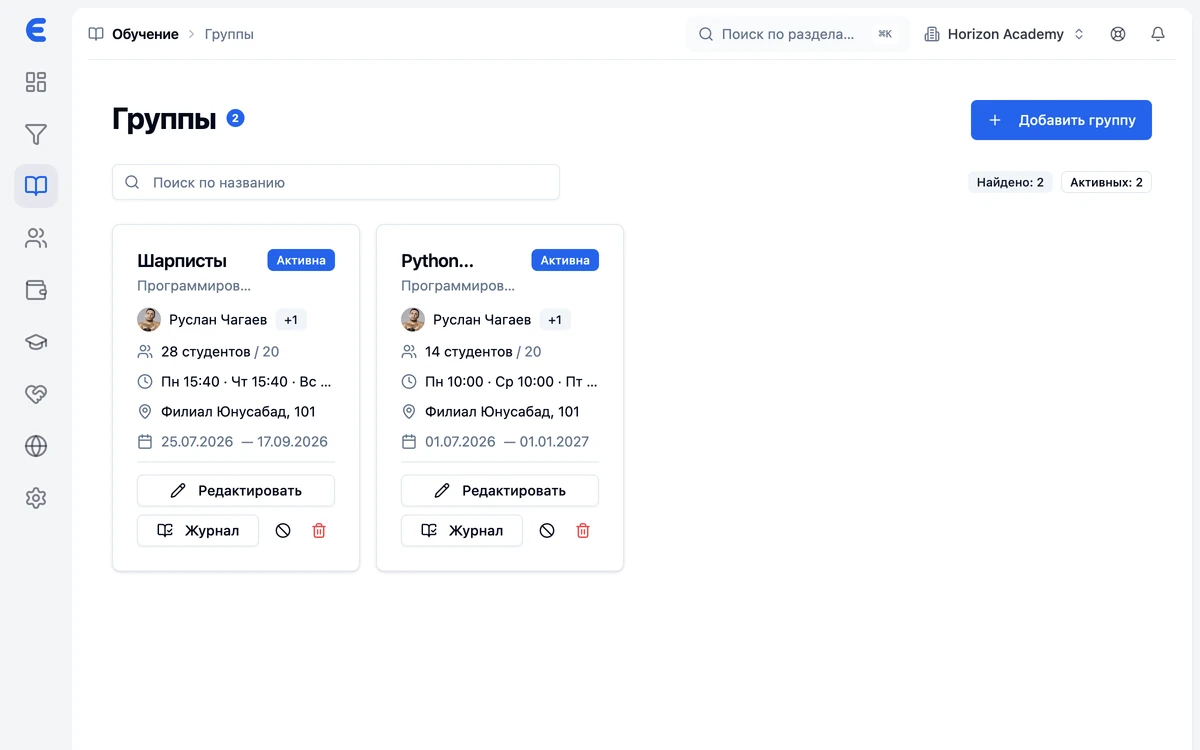
Lessons are generated from the group's schedule. Weekly and monthly views, rescheduling and cancellation with a classroom availability check — no clashes, even across a network of branches.
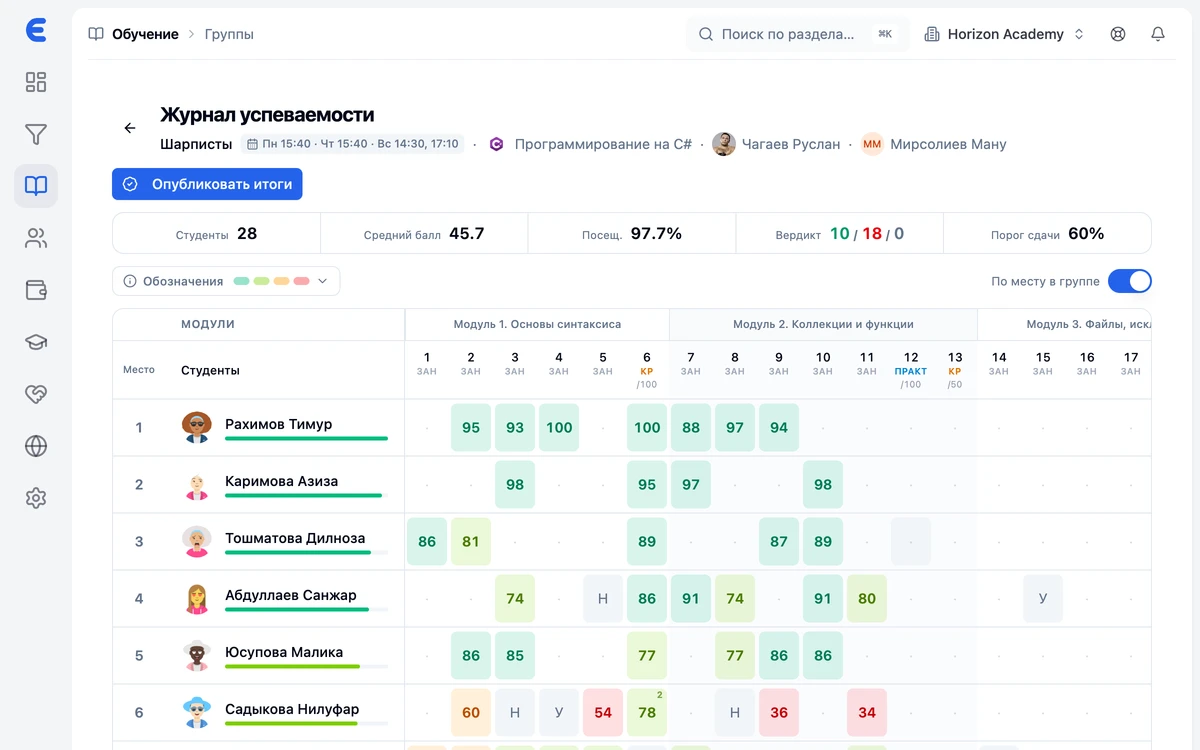
Gradebook and attendance
One-click attendance, and only within the allotted window. A gradebook with an edit history, final grades you publish yourself and your own scale — points or pass/fail.
Curriculum and homework
A course curriculum by modules and topics, lesson files, homework with attachments and a review queue for the teacher.
Student retention
At-risk students, call queues for missed lessons and debts, renewal forecasts and anonymous lesson feedback.
Notifications
Twenty-two scenarios across every channel: a Telegram bot, SMS, push in the app and the bell inside the system.
Modules
The full feature set
It is all already inside — no paid add-on modules, no integrations, no third-party services.
Lead generation and sales
- Leads and lead cards
- Kanban pipeline with your own stages
- Manager tasks and daily plan
- Events and open days
- Reports by conversion and by manager
Learning process
- Courses and curriculum
- Groups, rosters and teachers
- Schedule, reschedules, classrooms
- Attendance and gradebook
- Homework with review
Materials and motivation
- Flashcards, quizzes and files
- Five study and review modes
- Card audio and voice recording
- Catalog of ready-made materials
- Streaks and leaderboards
Finance
- Payments, charges and debts
- Expenses and cash accounts
- Lesson packages and payment plans
- Teacher payroll
- Online payment via Payme and Click
Center and team
- Branches and classrooms
- Roles, permissions and personal exceptions
- Invites by link and by code
- Contracts and signing
- Retention: risks, missed lessons, debts
Communication and automation
- Telegram bot: login and notifications
- SMS through your center's gateway
- Push in the mobile app
- Notifications inside the system
- Reports and dashboards
Who it's for
Fits any learning center
Whatever you teach, it works the same way: taking leads, groups, schedule, gradebook and money. EdSys covers them for a center of any kind.
- Language schools
- IT courses and academies
- Exam preparation
- Kids' development centers
- Tutoring centers
- Arts and sports schools
Trusted by learning centers
Reviews
What center directors say
«Schedules and payments used to live in separate spreadsheets. Now it's all in one place, and I see debtors without pulling the numbers by hand.»
«Rescheduling with a classroom check is exactly what we were missing. Students get a Telegram notice right away — no phone calls needed.»
«The monthly payment plan and automatic debtors took the headache out of accounting. We save hours every week.»
«Schedules and payments used to live in separate spreadsheets. Now it's all in one place, and I see debtors without pulling the numbers by hand.»
«Rescheduling with a classroom check is exactly what we were missing. Students get a Telegram notice right away — no phone calls needed.»
«The monthly payment plan and automatic debtors took the headache out of accounting. We save hours every week.»
«Schedules and payments used to live in separate spreadsheets. Now it's all in one place, and I see debtors without pulling the numbers by hand.»
«Rescheduling with a classroom check is exactly what we were missing. Students get a Telegram notice right away — no phone calls needed.»
«The monthly payment plan and automatic debtors took the headache out of accounting. We save hours every week.»
«Schedules and payments used to live in separate spreadsheets. Now it's all in one place, and I see debtors without pulling the numbers by hand.»
«Rescheduling with a classroom check is exactly what we were missing. Students get a Telegram notice right away — no phone calls needed.»
«The monthly payment plan and automatic debtors took the headache out of accounting. We save hours every week.»
Roles
Everyone gets their own workspace
Access is set by role: a staff member sees only what their job needs, and the center's data stays protected.
Director
Full control over the center.
- Finance, payroll and reports
- Branches, team and permissions
- The center website and all settings
Administrator
Day-to-day work with the learning process.
- Groups, schedule and gradebook
- Courses, curriculum and materials
- Missed lessons, debts and call lists
Sales manager
Handling leads and payments.
- Leads and the sales pipeline
- Course enrollment
- Taking payments and payment plans
Teacher
Everything for running lessons.
- Own groups and schedule
- Attendance and gradebook
- Homework review and materials
Student
The student's personal space.
- Schedule, courses and curriculum
- Grades, attendance and homework
- Materials, streaks, payments
Ready to try?
Set up your center in EdSys and invite your team in a couple of minutes.
Need more than the built-in roles?
Create your own — with a permission matrix for every section and personal exceptions for individual staff members.
Mobile app
The student and teacher workspace — in your pocket
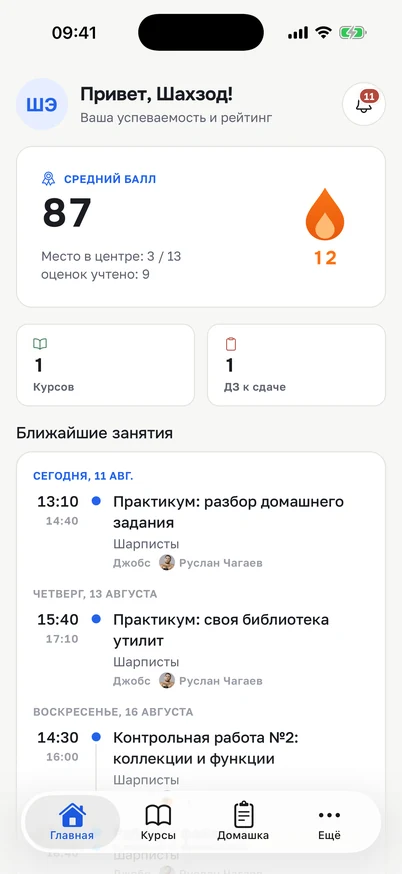
iOS and Android. Schedule, grades, homework and materials are always at hand, and the app sends a push when a lesson moves or a new grade appears.
For students
- Schedule and lessons for the week
- Courses and curriculum
- Homework with attachments
- Materials and study modes
- Grades, attendance and progress
- Streaks and leaderboards
- Payments and payment history
For teachers
- Their own schedule and lessons
- Marking attendance
- Homework review queue
- Groups and gradebook
- Their students and their progress

Lesson rescheduled
English Intermediate: the June 12 lesson has moved to June 14, 6:30 PM, "Jobs" classroom.
09:24Center website
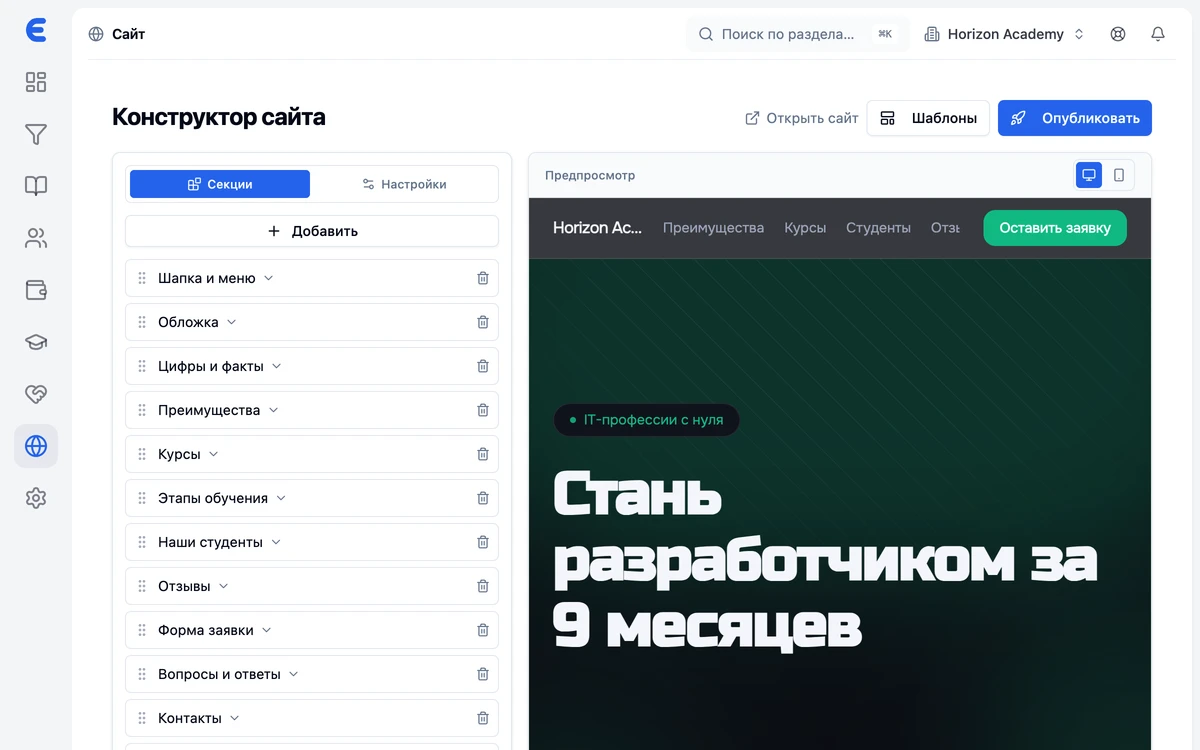
A website for your center — no developer needed
Build a public website from ready-made blocks right inside EdSys and publish it in one click.
- About twenty blocks: hero, about the center, courses, teachers, branches, events, map
- Courses and events are pulled from your own system — no manual updates
- A request from the website goes straight into the sales pipeline
- An address on an edsys.uz subdomain or your own domain
your-center.edsys.uz or your own domain
How to start
Up and running — in three steps
Leave a request
Fill out the form — we'll get in touch and give you access to your learning center.
Set up your center
Add branches and classrooms, create courses, build groups and pick a payment model.
Invite your team
Move your students over with a bulk import and send your staff an invite link.
Questions and answers
Frequently asked questions
What exactly can EdSys do?
Is it only the academic side, or sales too?
What are the materials and practice tools?
What can the mobile app do?
Is there access for parents?
Where can I download the app?
Can we accept payments online?
Do we need a separate website for the center?
How does the system notify people?
Can we limit what staff can access?
Does it work for a network of branches?
Does EdSys only work in Tashkent?
How secure is the data?
What languages does EdSys work in?
Can I move students over from Excel or another CRM?
Can I see the system before starting?
What do I need to run EdSys?
What kind of support is there?
How do I get started?
How much does it cost?
Request a call
Leave a request — we'll call back
We'll tell you about EdSys, show you the system and help move your center over. We usually call back within a business day.
- We call back during business hours
- A demo tailored to your center
- We help you start for free
Bring order to your center
Leads, schedule, gradebook and money under control from day one. Start for free.